
About the app
WakeMeowA cat alarm clock that gets less patient every snooze
The cat gets less patient.
Most alarms have one volume and one personality — a noise you learn to silence in your sleep without ever waking up. WakeMeow has cats instead, and they have a sense of how long they have been waiting.
It starts as a hopeful purr and climbs, mood by mood, towards chaos. Snoozing does not reset anything: each snooze moves the cat up, shortens the next snooze, and a heavily snoozed morning is remembered against you the following day.
Screens
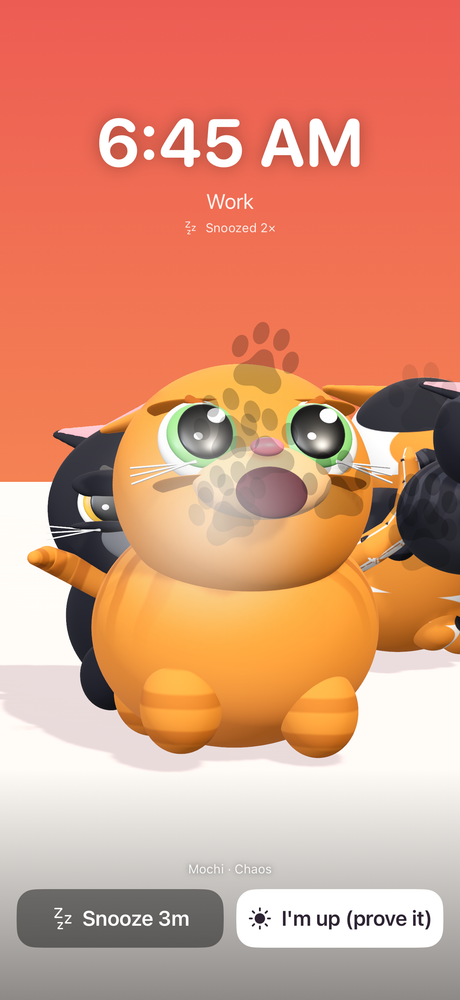
The alarm at full chaos, snoozed twice, offering Snooze or “I’m up (prove it)” 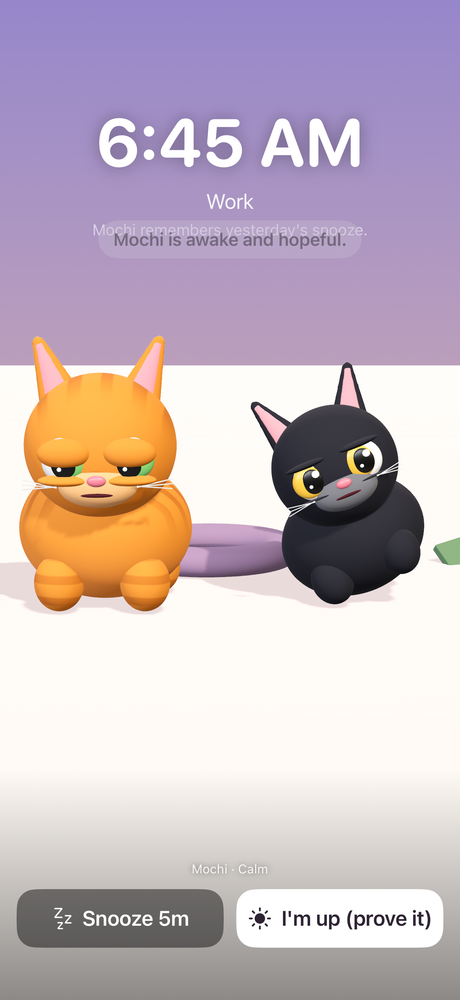
Two cats in a calm mood, before the escalation climbs 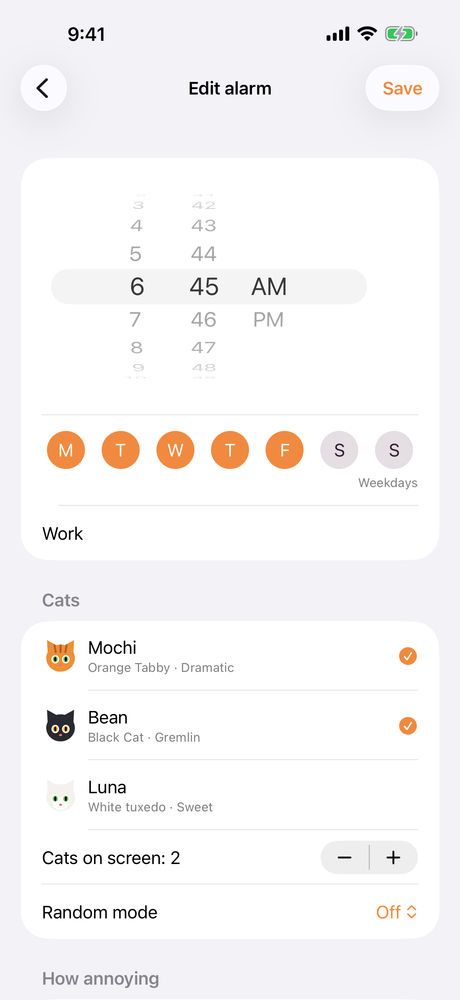
The alarm editor 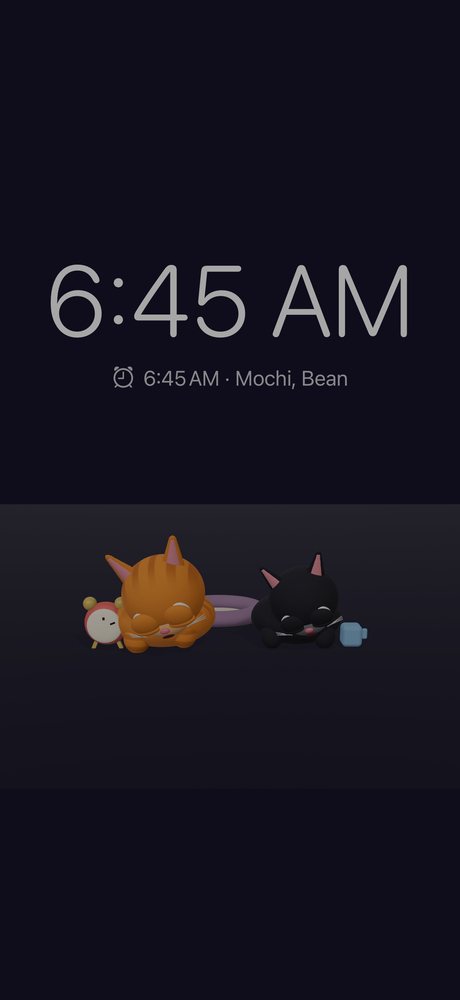
Nightstand mode — a dimmed clock with the cat beside it
What it does
An alarm that escalates
The cat's mood climbs through the alarm rather than holding one note, so an easy morning stays easy and a difficult one does not.
Snooze has consequences
Every snooze moves the cat up a mood — two in hard mode — and each snooze is a minute shorter than the last. Snooze a lot and the cat carries the grudge into tomorrow.
Stubborn cat
Optional, and off by default: stopping from the Lock Screen buys you one minute, and the cat returns until you dismiss it properly inside the app.
Nightstand mode
Leave the phone plugged in with the app open and the screen stays dimmed, your cat asleep beside the clock — so the cat is there from the alarm's first second rather than after you tap the alert.
Wake-up challenges
Dismiss by solving some maths, holding a button, or catching the cat — chosen per alarm, for the mornings you know you will cheat.
Cats of your own
Name them, give them looks and personalities, run up to five at once with Pro, and see how many mornings each one has actually got you out of bed.
What this app is, and is not
- Alarms are scheduled through Apple's own alarm system, the same one the Clock app uses, so Focus and Silent do not stop them. What WakeMeow does need is permission to schedule alarms — the home screen warns you if that has not been granted.
- The alarm rings at your ringer volume and the cat plays at your media volume. WakeMeow cannot raise either for you, so set both before bed.
- While your phone is locked, iOS shows its own alert with your chosen cat sound; the full escalation appears when you open it, or from the first second if you use Nightstand mode. Apps cannot run in the background, and this is a limit of the platform rather than a fault.
- The cat sounds in this version are synthesised placeholders while recorded cat audio is prepared. Settings → Sound check plays each one and says which are placeholders.
Availability
- Platforms
- iPhone
- Price
- Free
- Published by
- ClickSpark Software
Store links are added here once the app is live.