
About the app
MetronomeHapticsSilent haptic metronome for Apple Watch
Silent beat on your wrist.
MetronomeHaptics is a silent, vibrating metronome: it puts the beat on your wrist instead of in your ears. No sound, no earbuds, nothing anyone else can hear. Turn the Digital Crown to choose a tempo, tap Start, and feel it.
It is made for musicians warming up backstage, drummers and guitarists keeping time without a click in their ears, dancers, speakers, and runners who want a steady cadence. The iPhone and iPad app manages presets, setlists, history and settings, and works as a metronome too.
Screens
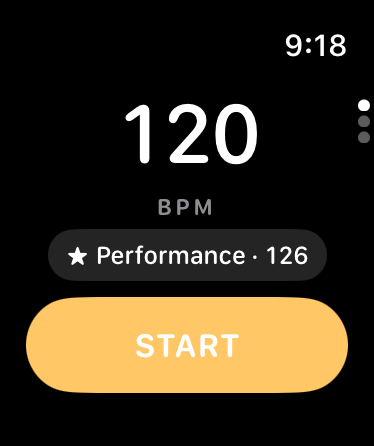
120 BPM on Apple Watch, with a saved preset one tap away 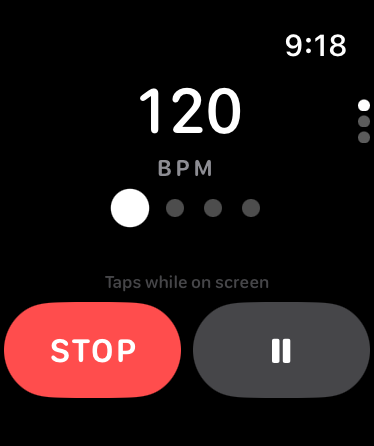
The metronome running, with a dot for each beat of the bar 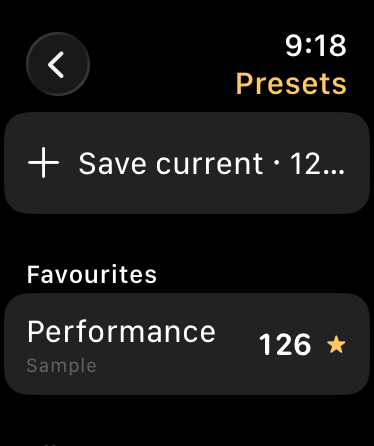
Saved presets, with favourites at the top 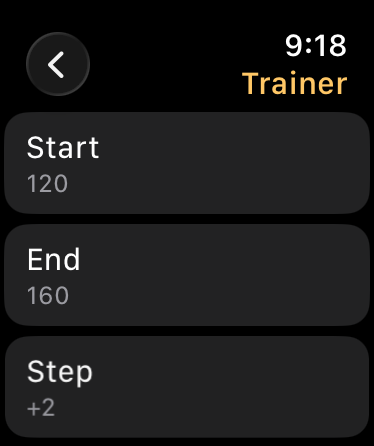
The tempo trainer, stepping from 120 to 160 BPM 
The iPhone metronome at 120 BPM, with tap tempo and subdivisions 
Saved presets on iPhone 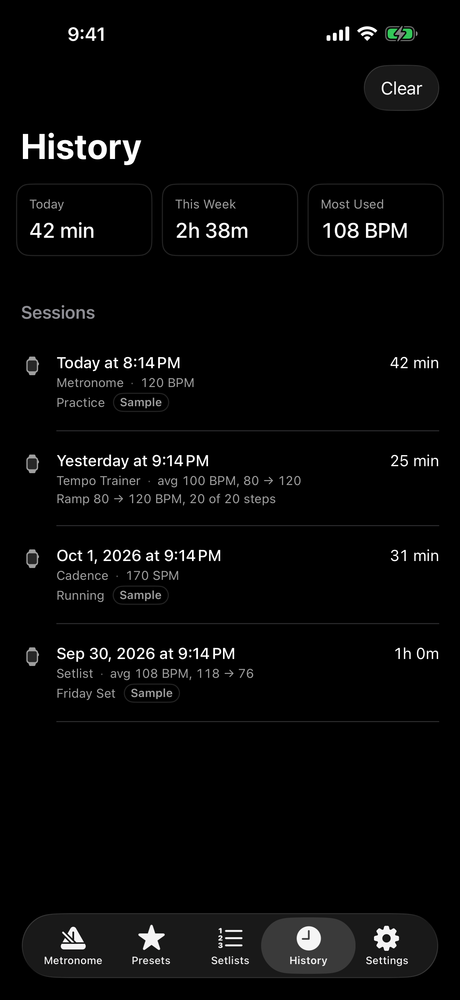
Practice history — time played today and this week 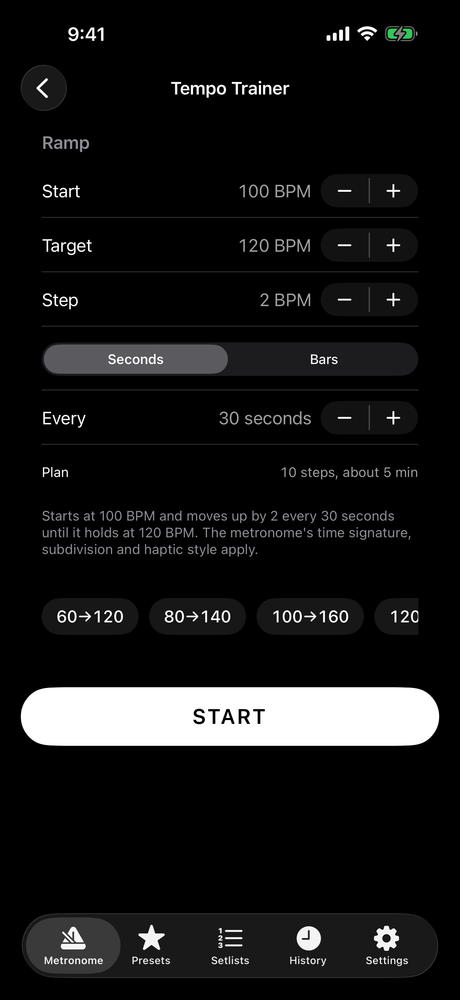
Setting up a tempo ramp from 100 to 120 BPM
What it does
Crown tempo and tap tempo
A very large tempo display, a Digital Crown that feels like a real dial, and tap tempo to find a song's speed.
Start from the watch face
A complication starts your last tempo in one tap.
Tempo trainer
With Pro: step the tempo up automatically, for example 80 to 120 by 2 every 30 seconds or every few bars.
Subdivisions and time signatures
With Pro: eighths, triplets and sixteenths; 2/4, 3/4, 4/4, 5/4, 6/8, 7/8 or custom, with accent patterns.
Presets and setlists
With Pro: unlimited named presets, and setlists with one-tap Next.
Running cadence
With Pro: a steady step rate from 160 to 180 steps per minute and beyond, plus a practice timer and a silent count-in.
What this app is, and is not
- Haptics play while the app is on the watch screen. When you lower your wrist, watchOS pauses them; the app keeps count and tells you.
- Running Cadence mode makes no medical, injury or performance claims.
- Screenshots show sample data.
Availability
- Platforms
- iPhone, iPad and Apple Watch
- Price
- Free
- Published by
- ClickSpark Software
Store links are added here once the app is live.
MetronomeHaptics
ClickSpark Software · support@clicksparksoftware.com