
About the app
TV SizerPreview TV size and mounting height on your wall
See it on the wall before you drill.
Mounting a television is a decision you make once and live with. Too high and your neck pays for it; too small and the wall swallows it; off-centre and you will see nothing else for years. TV Sizer puts the TV on your actual wall first, at its real physical size, so the decision is made with your eyes rather than a tape measure and some hope.
It answers both halves of the problem. Before you buy: what a 65, 75 or 85 inch set actually occupies on that wall, switched between in seconds. Once you own it: how high the screen centre should sit for where you actually sit, how much gap is left above the console, and what the finished measurements will be.
Screens
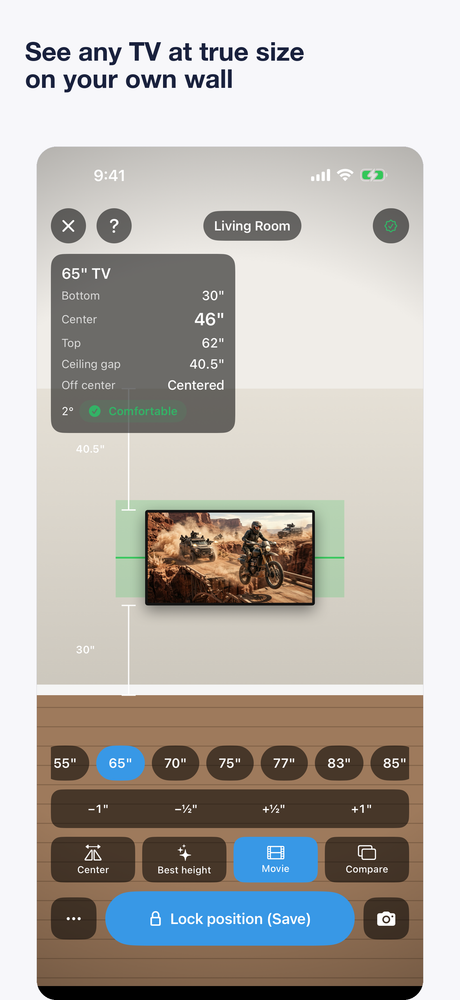
A true-to-scale 65-inch TV placed on the wall, with its heights read off the floor 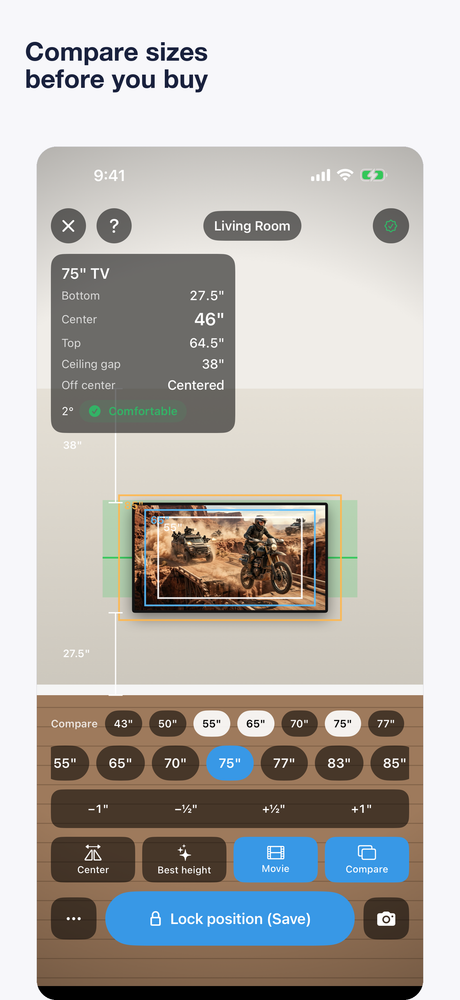
Compare mode — outlines of other sizes on the same wall 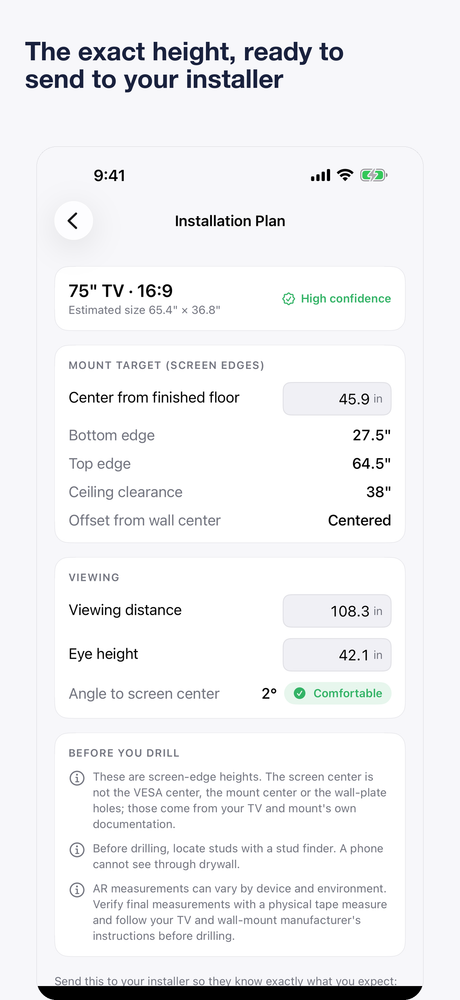
The installation plan, with screen-edge heights and viewing angle 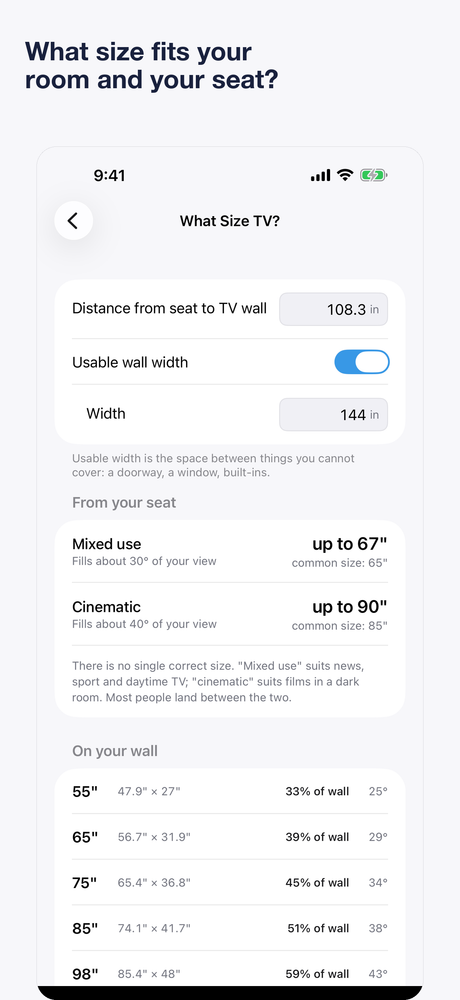
Working out what size suits the seat distance and the wall
What it does
True-to-scale preview
A 75-inch TV takes up exactly the space a 75-inch TV takes up. The panel stays anchored to the wall as you move around the room.
Switch sizes instantly
Move between 55, 65, 75, 85 and more without rescanning the wall — the question is usually which size to buy, and this answers it standing in the shop.
Heights measured from the floor
Bottom, centre and top of the screen, measured from the finished floor and updating live as you raise or lower the TV.
A comfort range, not a magic number
A suggested screen centre based on where you actually sit and how far away, shown as a range you can disagree with rather than a single decreed height.
Console, mantel and soundbar clearance
Set the height of what is underneath and see the gap before you commit, including the space a soundbar will want.
An installation plan you can share
A clean capture of your own wall with the measurements annotated on it — the thing to show whoever is holding the other end of the tape measure.
What this app is, and is not
- AR measurements vary by device and environment. Verify every figure with a physical tape measure before drilling, and follow the TV and wall-mount manufacturers' instructions.
- TV Sizer does not detect studs, wiring or pipes behind the wall, and does not claim to. Locate studs with an appropriate stud finder.
- The app plans the screen, not the bracket. Screen centre is not the same as a mount's VESA centre or its wall-plate drill positions.
- Photo Estimate Mode is a scaled estimate from a calibrated photograph. It is useful for planning and is not equivalent to an AR measurement.
Availability
- Platforms
- iPhone and iPad
- Price
- Free
- Published by
- ClickSpark Software
Store links are added here once the app is live.